

Download Podunes Shuffle – iTunes Remote Control for iPod Shuffle
Overview
Podunes Shuffle is a lightweight dashboard widget that gives iPod Shuffle owners a visual way to browse and control their iTunes library without having to open the full iTunes interface. While the name suggests direct hardware control, the app actually mirrors the tiny Shuffle’s button layout on your Mac desktop, allowing you to flip through tracks, pause, skip, and even customize the colour scheme to match the original device. This makes it an ideal companion for users who love the simplicity of the Shuffle but find the lack of on‑screen navigation frustrating.
Whether you’re a student shuffling through playlists between classes, a commuter who prefers a minimalist player, or someone who simply wants a quick visual cue of what’s playing, Podunes Shuffle bridges the gap between the physical device and the digital library. The widget is free, secure, and updates automatically through the Mac App Store, ensuring compatibility with the latest versions of macOS and iTunes (or the Music app). Its intuitive interface means you can change songs with a single click, saving precious seconds when you’re in a hurry.
Key Features and Benefits
- Graphical Representation of iPod Shuffle: The widget mimics the exact layout of the Shuffle’s three‑button control panel, making the transition from device to desktop seamless.
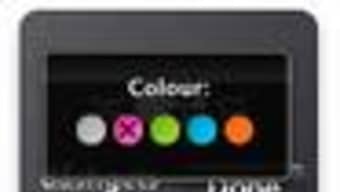
- Customizable Colour Themes: Choose from the original pink, green, blue, orange, or black Shuffle colours, or create a custom palette to match your personal style.
- Instant Song Navigation: One‑click “Next” and “Previous” buttons let you flip through your iTunes library exactly as you would on the physical device.
- Play/Pause Toggle: A large central button provides a clear visual cue of the current playback state, reducing the need to glance at iTunes.
- Minimal Resource Footprint: As a dashboard widget, Podunes Shuffle runs quietly in the background, consuming negligible CPU or RAM.
- Automatic Updates: The app checks for updates through the Mac App Store, ensuring you always have the latest compatibility fixes.
- Free and Secure Download: No hidden fees or adware; the app is signed by the developer and verified by Apple.
The real strength of Podunes Shuffle lies in its simplicity. By providing a visual proxy for the Shuffle, it eliminates the need to open iTunes, scroll through endless playlists, and locate the exact track you want. This is especially helpful for users who keep their iTunes library organized by genre or mood but still want the tactile feel of the Shuffle’s three‑button control scheme. The colour‑customisation feature also adds a playful element, letting you match the widget to the physical device you own – a small but delightful detail that many users appreciate. Because it’s a widget, you can keep it on your desktop at all times, giving you a constant, at‑a‑glance view of what’s playing, without cluttering your screen with a full‑size iTunes window.
Installation, Usage Guide, and Compatibility
Installing Podunes Shuffle is straightforward and can be completed in under five minutes. Follow these steps to get the widget up and running on your Mac:
- Visit the Mac App Store and search for “Podunes Shuffle”.
- Click the “Get” button to download the free widget. The app is signed by the developer, ensuring a secure installation.
- Once the download completes, the widget will appear in your Dashboard folder. Open Dashboard (or press F12) and drag the Podunes Shuffle icon onto your desktop or into a dedicated Dashboard space.
- When you first launch the widget, you’ll be prompted to grant access to your iTunes (or Music) library. Click “Allow” to let the widget read your song metadata and display the current track information.
- Use the colour‑picker in the widget’s preferences (accessed via the gear icon) to select your favourite Shuffle colour scheme.
Using the Widget: After installation, the widget appears as a miniature representation of an iPod Shuffle. The left button skips to the previous track, the right button advances to the next track, and the centre button toggles play/pause. Hovering over each button reveals a tooltip with its function. The widget also displays the current track title, artist, and album art in a compact bar beneath the controls, keeping you informed without opening iTunes.
Compatibility: Podunes Shuffle is built for macOS 10.12 (Sierra) and later, supporting both Intel and Apple Silicon Macs. It works with the latest version of iTunes on older macOS releases, as well as the Apple Music app on macOS Catalina and newer. The widget automatically detects whether you’re using iTunes or Music and adjusts its library calls accordingly. While there is currently no Windows or Android version, the widget’s lightweight design makes it a perfect companion for Mac users who rely heavily on the Shuffle.
If you encounter any issues during installation, the developer provides a brief troubleshooting guide within the widget’s Help menu. Common problems include library permission errors (resolved by re‑granting access in System Preferences > Security & Privacy) and colour‑theme glitches (fixed by resetting the preferences file). Because the widget runs as a sandboxed app, it does not interfere with other system processes, ensuring a stable experience even on older hardware.
Pros, Cons, and Expert Review
Pros
- Free and ad‑free, providing a secure download experience.
- Accurately replicates the iPod Shuffle’s three‑button interface.
- Customizable colour themes add a personal touch.
- Low CPU and memory usage – ideal for older Macs.
- Instant song navigation without opening iTunes.
- Automatic updates through the Mac App Store.
Cons
- Only available for macOS; no Windows or mobile version.
- Does not provide full remote control (e.g., volume adjustment).
- Relies on iTunes/Music library; cannot control streaming services outside Apple’s ecosystem.
- Limited to the visual style of the original Shuffle – no alternative layouts.
Overall Rating: 4.2/5
Podunes Shuffle delivers exactly what its niche audience expects – a clean, visually appealing way to control iTunes from a desktop widget that feels like the classic iPod Shuffle. The free price point and low system impact make it a worthwhile addition for anyone who still carries a Shuffle or enjoys its minimalist design. While the lack of Windows support and limited functionality may deter power users, the core experience is solid and reliable.
FAQ
Can Podunes Shuffle control the volume of my music?
No, the widget focuses on play/pause and track navigation. Volume control must be adjusted directly in iTunes/Music or via your Mac’s system volume.
Is Podunes Shuffle compatible with Apple Silicon Macs?
Yes, the widget runs natively on both Intel and Apple Silicon Macs, ensuring smooth performance on the latest hardware.
Do I need an iPod Shuffle to use this widget?
No, the widget works independently of any physical device. It simply mimics the Shuffle’s interface for anyone who prefers that style.
Can I customize the widget’s size on my desktop?
The widget has a fixed size to maintain the authenticity of the Shuffle’s layout, but you can reposition it anywhere on your desktop or within the Dashboard.
Is there a way to reset the colour theme to default?
Yes, open the widget’s preferences, click the “Reset to Default” button, and the original Shuffle colour will be restored.
Conclusion & Call to Action
If you love the simplicity of the iPod Shuffle but hate navigating through iTunes, Podunes Shuffle offers a clever, free solution that blends nostalgia with modern convenience. Its low‑impact design, customizable colours, and instant song control make it a practical addition for anyone who wants quick access to their music library without the overhead of a full‑size player. Download Podunes Shuffle today, add a splash of colour to your desktop, and enjoy seamless iTunes navigation with just a click.







